The AFROG 2th Gen Multifunctional LED Desk Lamp With Wireless Charger is a USB-powered1 desk lamp with touch controls for cool and warm light options, fine-grained dimming, a sleep timer, wireless charging and a USB-A power port. It has small green and blue LEDs inside the timer touch control, and red and blue LEDs along the right side
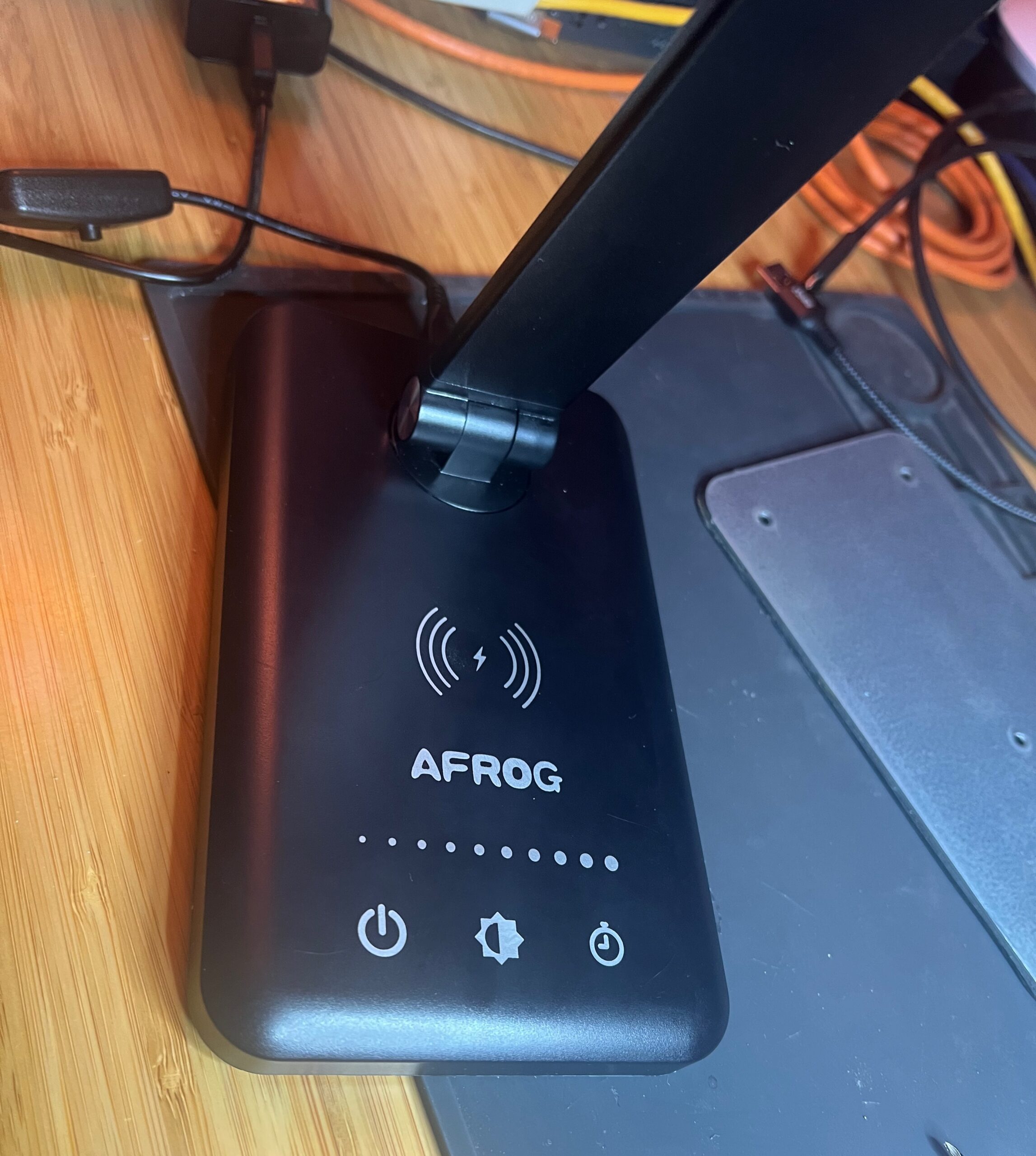
The hardware quality and interface are decent. The dimmer control has touch 5 pads and can blend so brightness control is fairly fine-grained. On my particular lamp the 4th brightness pad is busted, which sucks, but hopefully that’s an individual failure and not a design problem
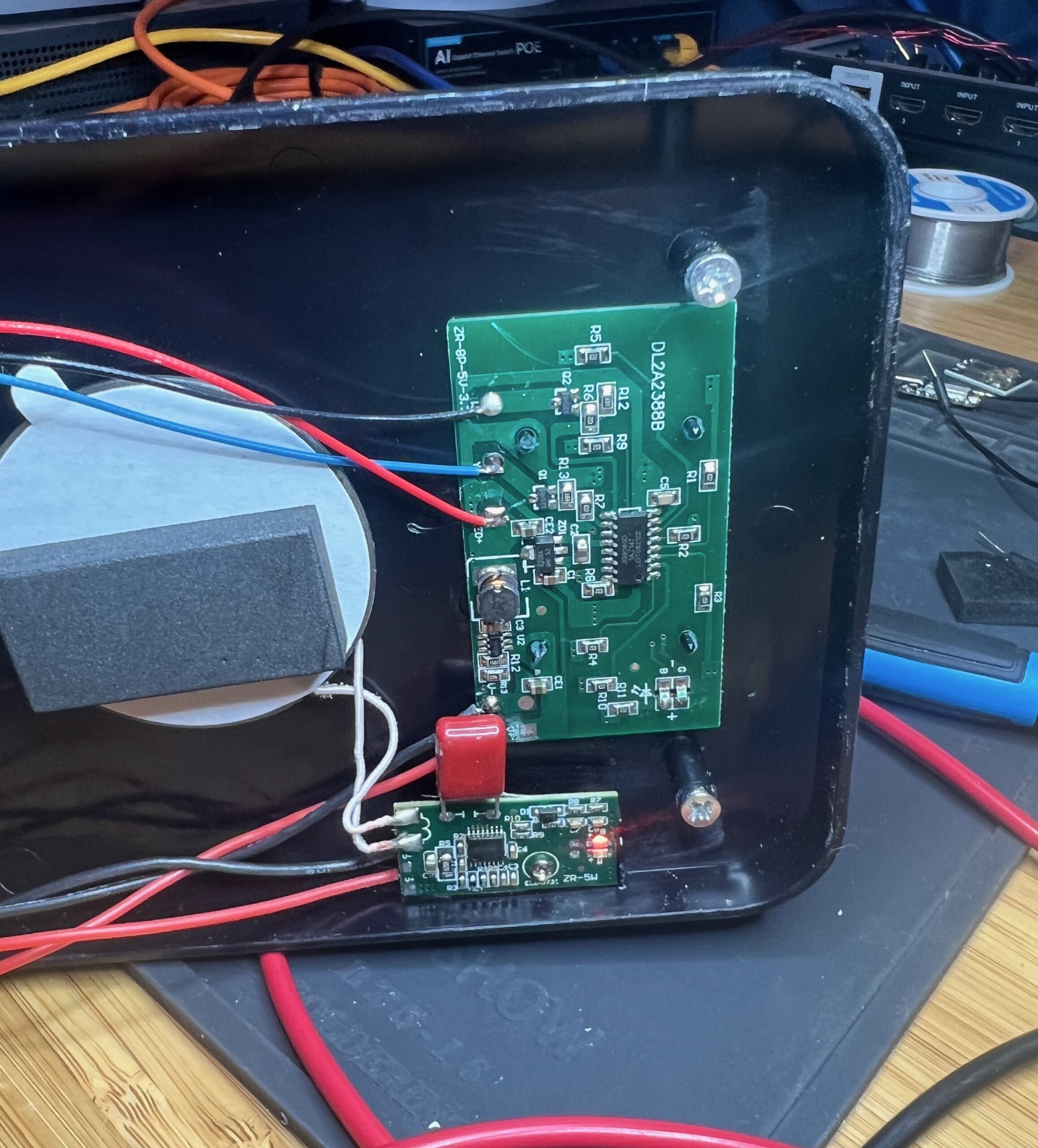
The wireless charger is slow and not great at linking first try, but it does work and has a status light to let you know when it’s working. The wireless charger is an independent circuit board connected only to power and the charge coil, so it would be easy to replace if you wanted a better one; I’m told that later models include a different charger
In total there are 8 touch pads inputs (5 brightness, power, color temperature and timer), cool and warm LED outputs (transistor-controlled active-high), mutually-exclusive inverted outputs for the green and blue LEDs, and red and blue LEDs on (and controlled by) the separate charging board. The main control chip (JG9080D) and LEDs all run at 3.3V, as do the transistor-switched outputs for the main white lamps, so it’s easy to drive everything directly
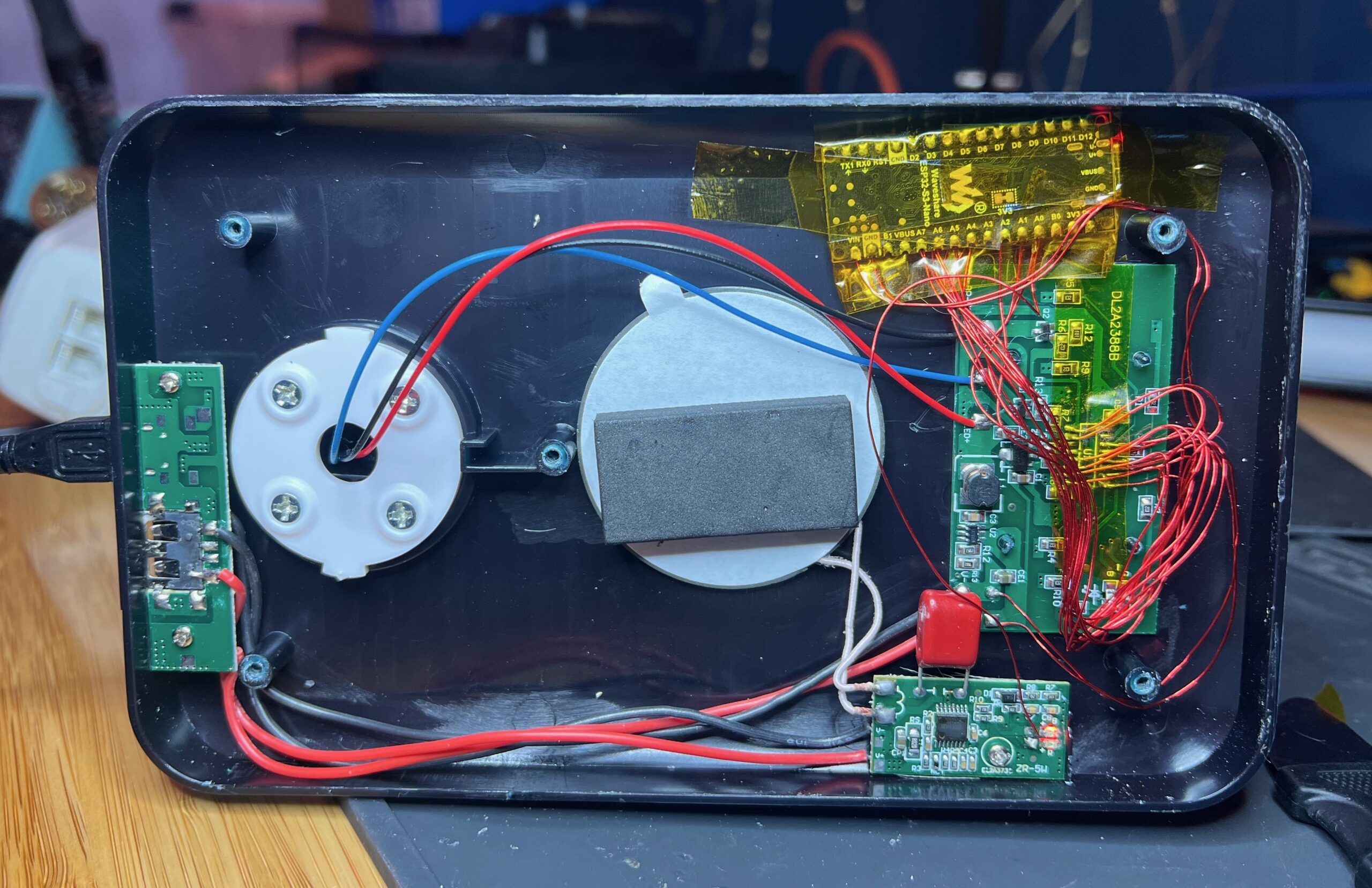
I did not check the 3.3V power rating as there is already 5V power from the USB input. There’s lots of empty space inside the case (take out 5 screws from the metal plate under the adhesive foot pad), and the case itself is translucent black so that LEDs can be seen from inside. I used a Waveshare ESP32-S3-Nano as a controller and you can easily see the onboard RGB and red LEDs through the case. Be aware that the metal backing (and charging devices on top) can interfere with WiFi and other signals, so you may need careful antenna positioning or an external antenna
Example: light-guest-bed.yaml
# JG9080D
# Pin 1 - Touch bright 4
# Pin 2 - Touch bright 5
# Pin 3 - Touch timer
# Pin 4 - Touch power
# Pin 5 - Touch color
# Pin 6 - Touch bright 1
# Pin 7 - N/C?
# Pin 8 - 5k PWM
# Pin 9 - 3k PWM
# Pin 10 - N/C?
# Pin 11 - 3.3V
# Pin 12 - Timer blue (inverted)
# Pin 13 - Timer green (inverted)
# Pin 14 - Touch bright 2
# Pin 15 - Touch bright 3
# Pin 16 - Ground- Micro-B USB. It’s directly wired to the power pins on the USB-A port; if you really wanted to be difficult you could back-feed from that port ↩︎